Applications come in through your portal. HOACraft puts the ones that need a site visit on the next drive, shows the request next to the community's design rules, and sends back what the reviewer saw and recommends. The committee still decides.
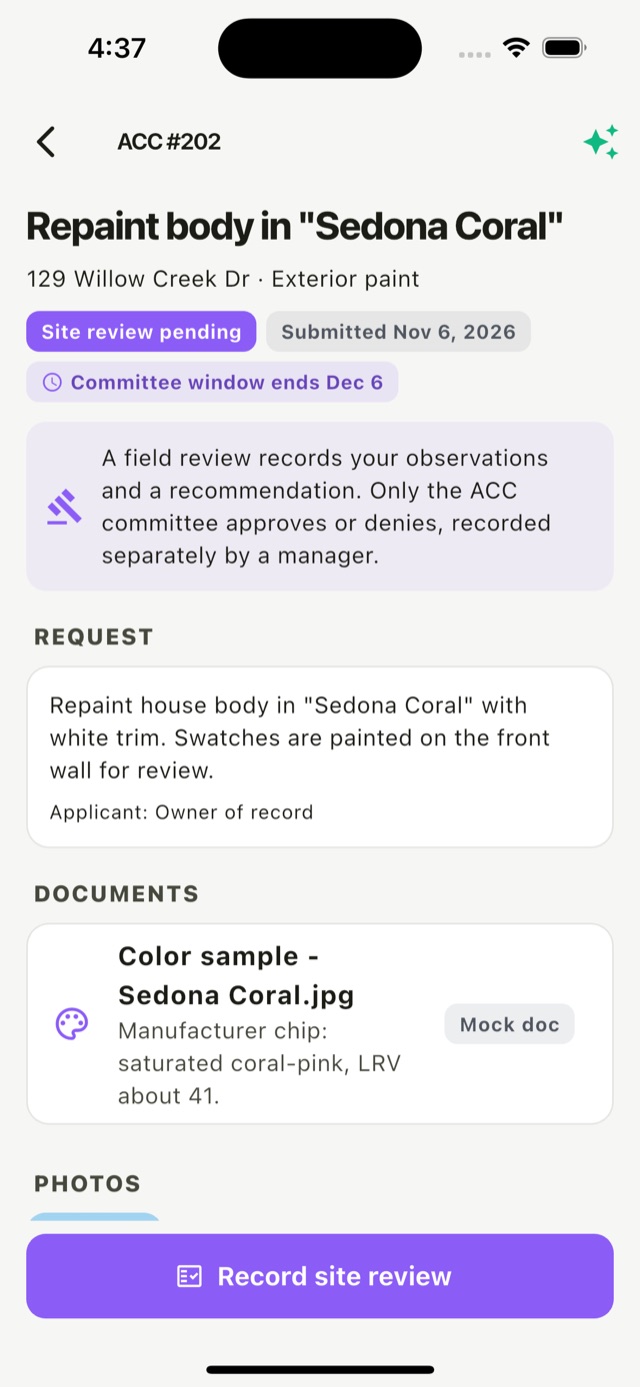
HOACraft handles the part in the middle that usually means a separate trip, a phone camera and an email.
The homeowner applies in your portal. You push requests that need a visit to HOACraft.
The request joins the next open-items drive, with its review window, so deadlines aren't missed.
Check it against the design rules on site. Record observations, measurements, photos and a recommendation.
The committee decides in your system. HOACraft takes the request off the route once you post the decision.
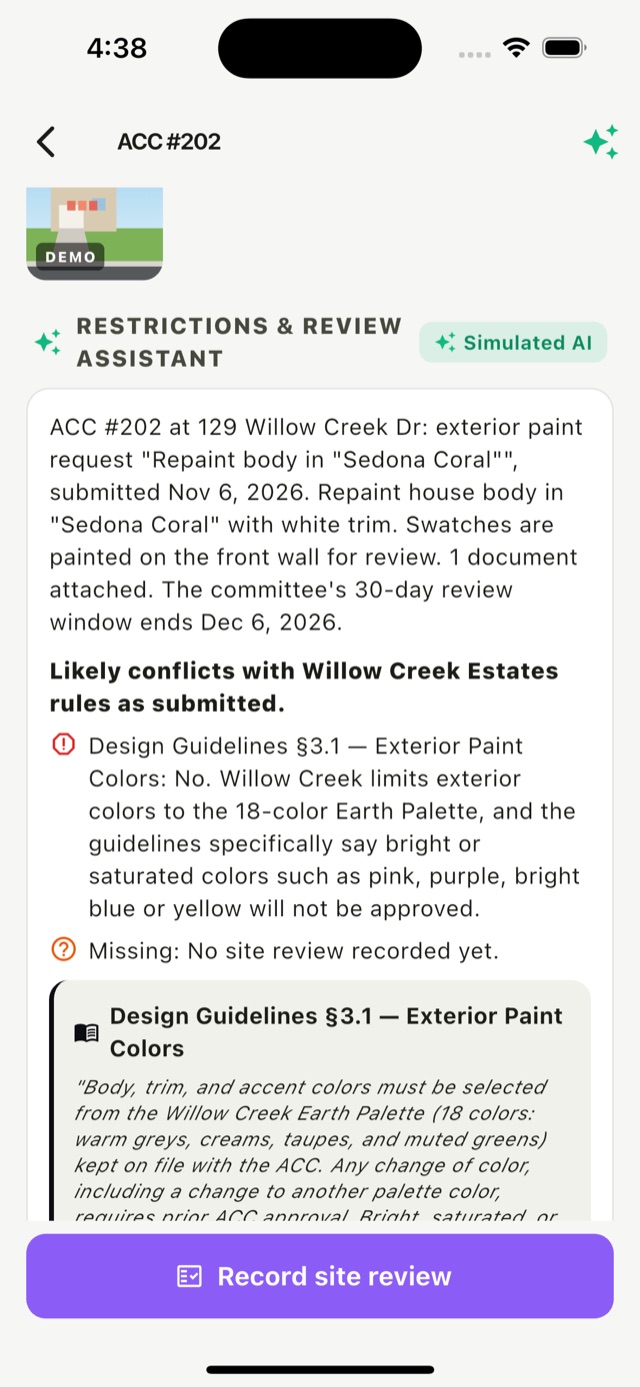
Before the visit, HOACraft summarizes the application and checks it against that community's design guidelines.
Architectural decisions carry legal weight. HOACraft is built so nobody approves anything by accident.
Reviewers choose reviewed, more info needed, recommend approval or recommend denial. None of these changes the request's outcome.
If you record decisions in HOACraft, only a community manager can, with no option preselected and an attestation tick.
Each request shows when the committee's window closes, so site visits happen in time.
Plans, color samples, surveys and quotes are listed on the request, so the reviewer knows what was proposed.
Heights, setbacks and what's really on site, recorded with the time and the reviewer's name.
"Can they build a shed?" The answer comes from that community's own guidelines, with the section cited.
Your portal keeps the application and the decision. HOACraft does the visit.
PUT acc-requestsyou push applications that need a visitacc_request.site_reviewedthe review and recommendation, with rules and photosPOST …/decisionyou post the committee's decision{
"type": "acc_request.site_reviewed",
"data": {
"acc_request": {
"id": "acc-wce-201",
"number": 201,
"status": "siteReviewed",
"request_type": "fence",
"title": "Replace rear and side fence",
"location": {
"address": "113 Willow Creek Dr",
"lot_number": "Lot 07"
},
"decision": null
},
"site_review": {
"outcome": "recommendApproval",
"observations": "Old fence runs on the survey line; no easement conflict.",
"measurements": "Proposed height 6 ft, matches neighbours",
"rules": [
{
"document": "Design Guidelines",
"section": "3.4",
"title": "Fences"
}
],
"by": {
"id": "staff-dana",
"name": "Dana Whitfield"
}
}
}
}We'll load one community's design guidelines and pending applications and run the first site visits with you.
