Snap from the car. HOACraft matches the photo to the house you just passed, finds the rule in that community's CC&Rs, works out the escalation level from history, and waits for a person to approve.
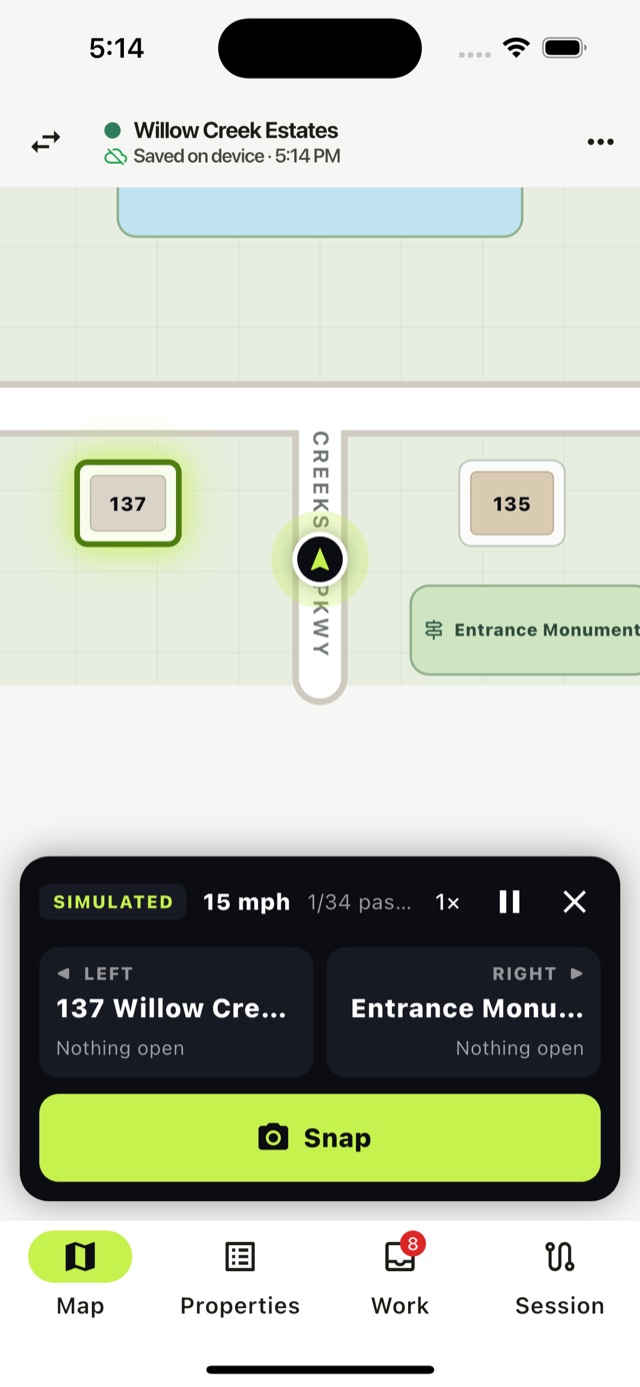
No clipboard, no camera roll to sort at the office, no retyping addresses into the management system.
Take the photo while the car is stopped. The map already knows which houses are on your left and right.
Pick the house from a short list, with what's already open at each one.
The issue is checked against that community's documents, with the section quoted and the level worked out.
A person approves, edits or dismisses. Approved violations go to your system with photos, GPS and the citation.
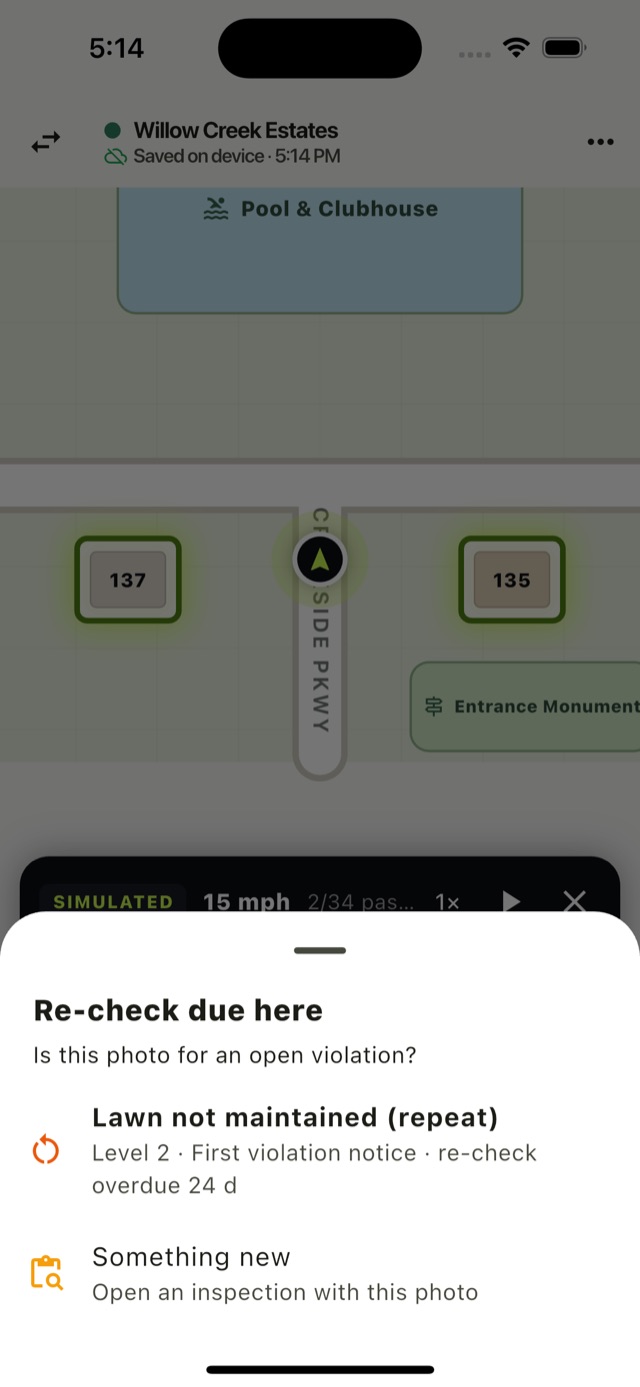
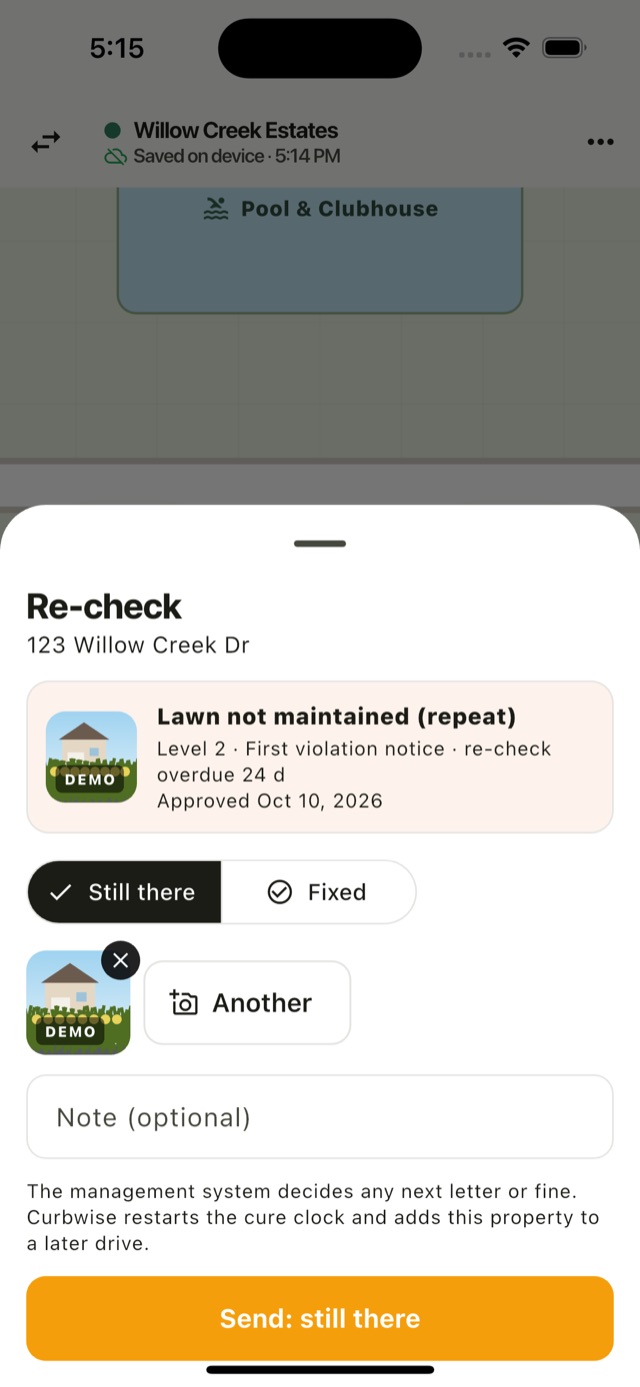
Most of the work in violations is following up. HOACraft tracks each cure date and puts overdue houses on the next drive.
Every community has different rules and a different notice ladder. HOACraft keeps them apart.
Each community's CC&Rs and design guidelines are loaded separately. The same photo can be a violation in one community and the association's job in another.
The level comes from that house's history for the same issue type: a second lawn violation is level 2, a first parking one is level 1.
Every suggestion quotes the section it relies on. If the documents don't cover it, HOACraft says so instead of guessing.
Suggestions are labelled, editable and never final. Dismissing one leaves no record against the homeowner.
Photos with capture times, GPS, who observed, who approved and every re-check, in one record you can hand to a board or a hearing.
Where the association maintains lawns or exteriors, an overgrown lawn becomes a work order, not a letter to the owner.
HOACraft hands over the facts; your platform keeps letters, stages and fines.
violation.createdapproved in the field, with photos, rule and cure dateviolation.still_openre-check found it unfixedviolation.resolvedre-check found it fixedAfter a letter goes out, your system updates the stage and next re-check date, so the inspector comes back on the right day.
{
  "type": "violation.created",
  "data": {
    "violation": {
      "id": "f-ho4l8rev40-3",
      "title": "Lawn not maintained",
      "level": 1,
      "suggested_stage": "Courtesy notice",
      "cure_by": "2026-11-27T16:00:00.000Z",
      "location": {
        "address": "103 Willow Creek Dr",
        "lot_number": "Lot 02"
      },
      "rules": [
        {
          "document": "CC&Rs",
          "section": "7.1"
        }
      ],
      "photos": [
        {
          "url": "https://files.hoacraft.com/photos/ph-ho4l8rev40-2.jpg"
        }
      ],
      "approved_by": {
        "id": "staff-dana",
        "name": "Dana Whitfield"
      }
    }
  }
}We load your documents and properties, ride along on the first drive, and connect it to your system.
